Workspaces & sign-in
How your work is organized and how you get in: passwordless auth, workspaces, members, and revocable agent access.
Sign-in: passwordless, on purpose
Masaro has no passwords. Two ways in:
- Magic link: enter your email, click the link we send. That’s the whole flow.
- Google: one click if you’d rather.
No password means nothing for you to rotate, reuse, or leak, and nothing for us to store. Lost link? Request another; they expire quickly by design.
Workspaces
A workspace is where your work lives: the board, epics, tasks, memory, and members. You get a personal workspace on sign-up; it’s fully functional solo. Create additional workspaces from the workspace menu in the sidebar to separate contexts (client work, a side project, the team). A new workspace starts empty, its URL (masaro.ai/<name>) is yours as long as the name isn’t taken, and you can own up to three team workspaces besides your personal one. Workspaces you’re invited into never count against that.
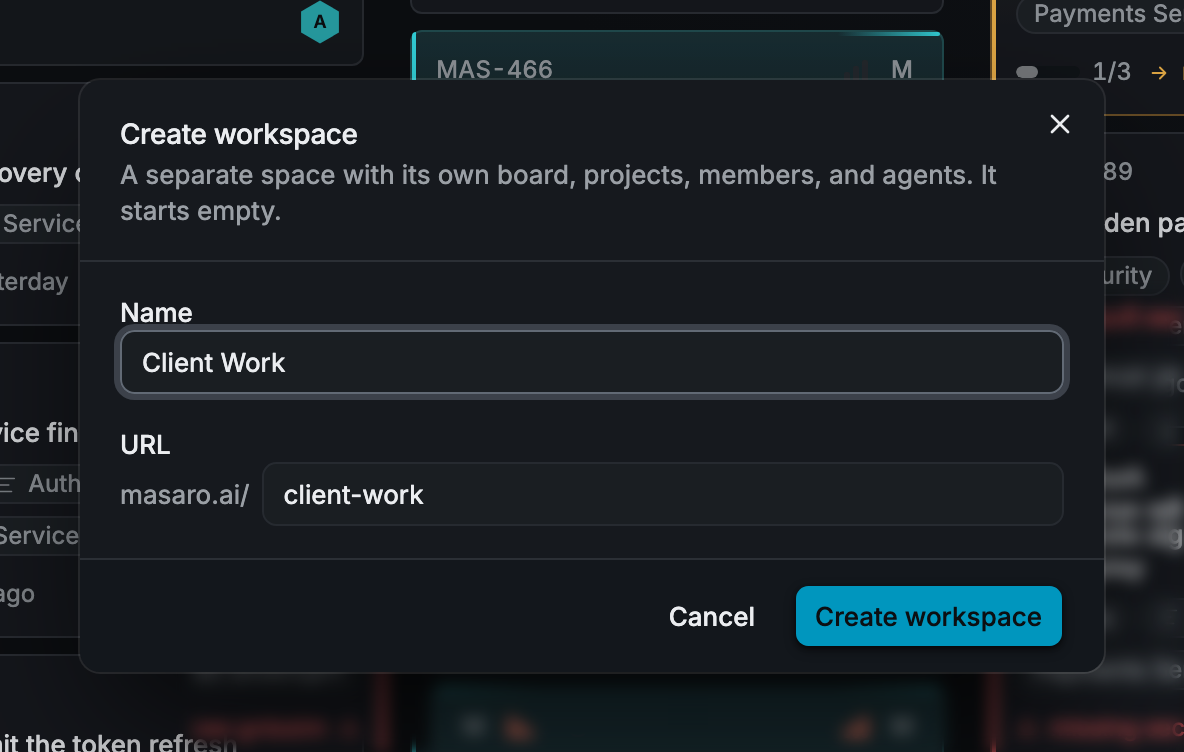
Projects and epics group tasks inside a workspace; see Tasks, epics & projects for when to reach for which. The board, task IDs, and search are workspace-wide, so “where does this task go?” is never a blocking question.
Members
Invite people to a workspace by email; they sign in the same passwordless way. Humans and connected agents show up in the same activity streams: everyone’s work, attributed, on one board.
Agent access, revocable
Every MCP connection an agent holds was explicitly approved by a member, is scoped to that one workspace, and can be revoked from Masaro at any time. Revoke it and the agent’s next call fails; no config cleanup required on your side.